Embedded PIR Tuner
See what triggers PIR motion
Watch the live signal, understand motion detection, and tune HPS v4PL for your room.
Firmware required: 1.1.0 or later.Update your HPS v4PL
Before you start: Add HPS v4PL to Home Assistant and place it in its final position. Use a phone or computer on the same local network.
Open the PIR Tuner
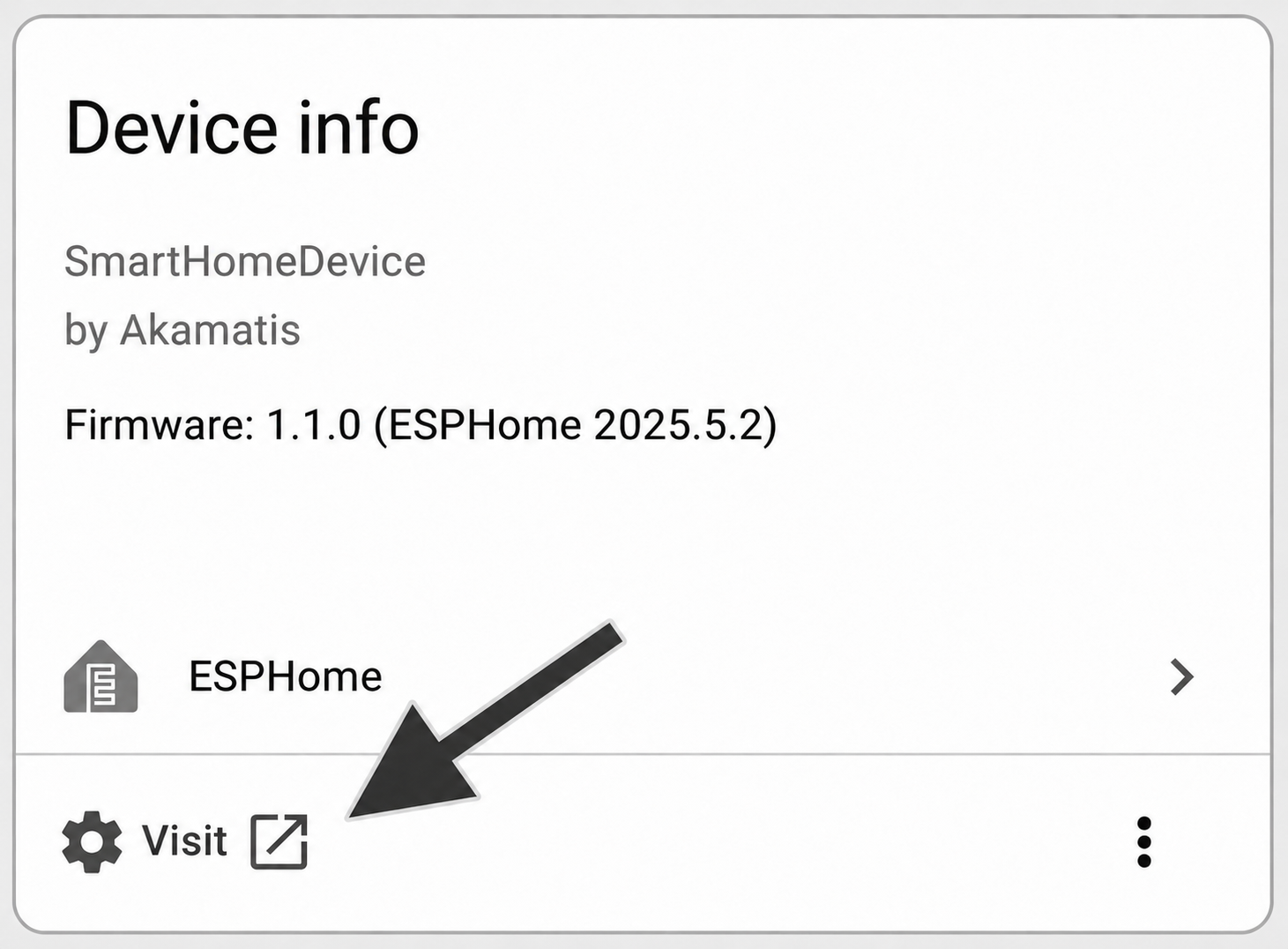
On your HPS v4PL device page in Home Assistant, find the Device info card. Click Visit to open the embedded tuner. The PIR Tuner tab opens first.
Runs locally on your network. No extra software or cloud connection is needed to use the tuner.
Get to know the tuner
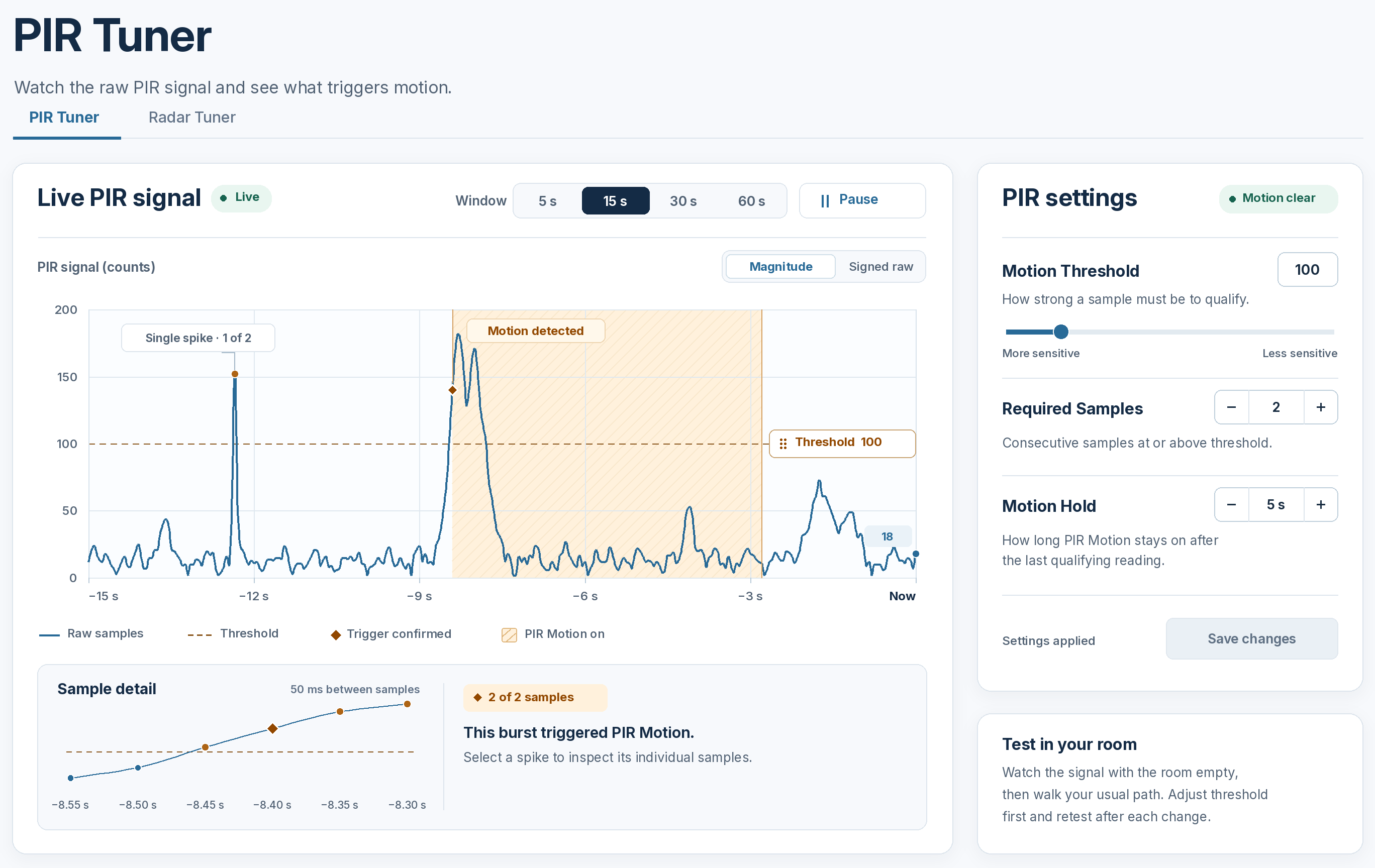
Select a numbered area to see what it does.
Observe, adjust, save
Watch an empty room
Start with the normal background conditions. Watch the signal with nobody moving in front of the sensor.
Walk your usual route
Move through the area you want to cover. Compare the spikes with the threshold and motion bands.
Set the threshold
Adjust Motion Threshold or drag its chart handle. A higher threshold makes PIR motion less sensitive.
Check samples and hold
Use Required Samples to reject isolated spikes. Set Motion Hold to suit the motion event you need.
Save and test
Click Save changes, then repeat your walk test and check PIR Motion in Home Assistant.
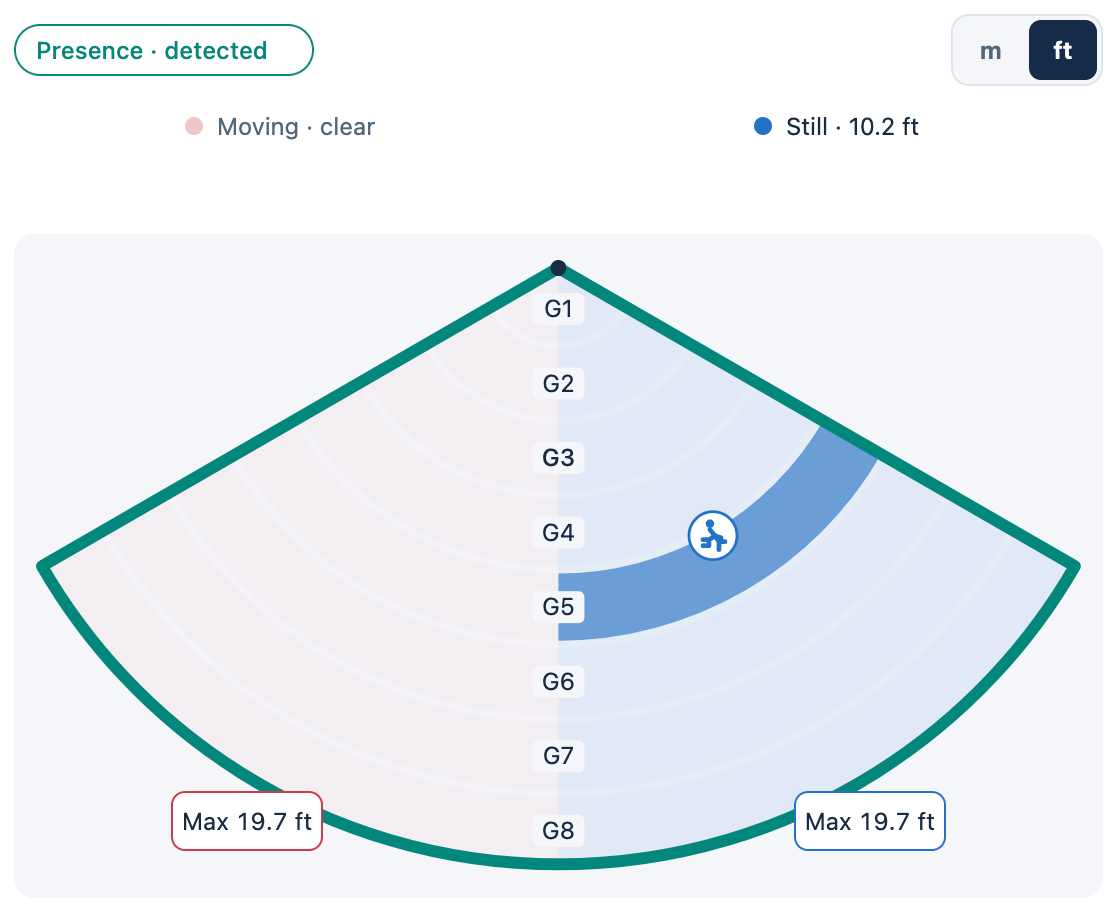
Also tune the radar
Select Radar Tuner, the second tab on HPS v4PL. It uses the same tuning interface as Litos v3.
View moving and stationary activity, set distance limits, adjust individual gate thresholds, or run auto-calibration. The Radar Tuner guide explains these controls and the tuning steps.